You post, and nobody sees it
The algorithm shows your posts to people who already know you. If you aren't in your buyers' comment sections, you aren't in their feeds.

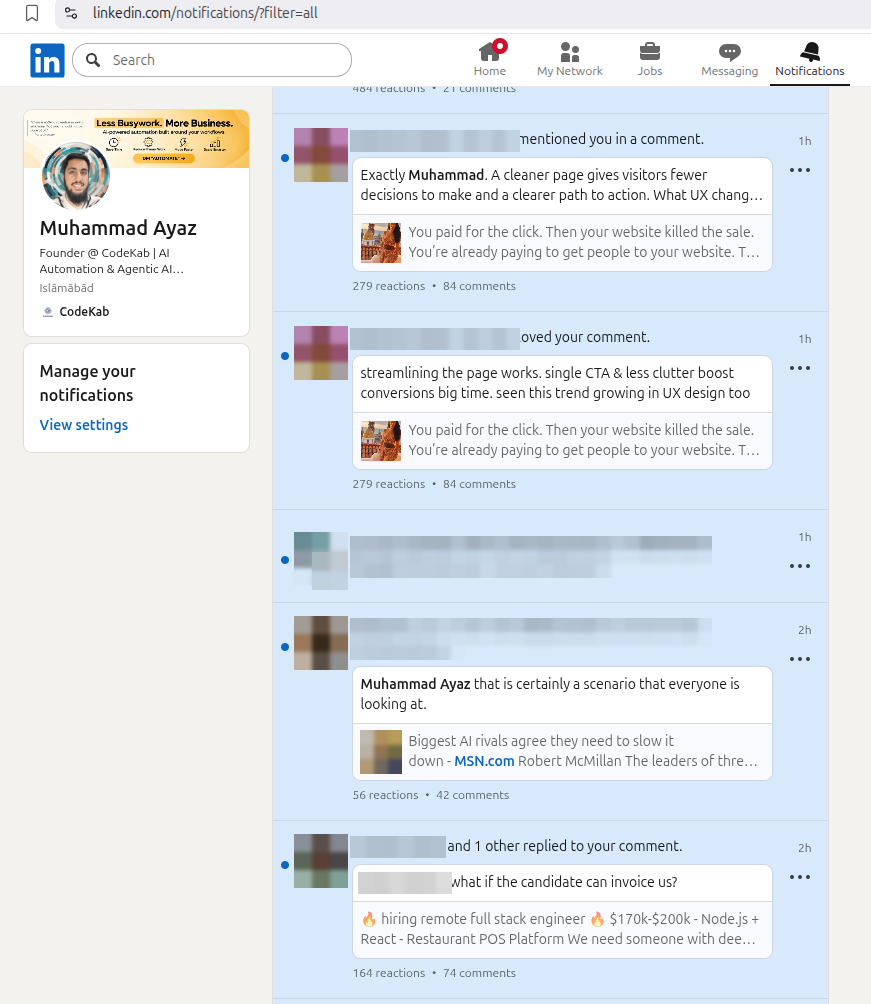
AlwaysNoticed is your LinkedIn business developer. Every day it shows up in your buyers' feeds with comments in your voice, follows up on every reply, and hands you the people ready to talk.
Illustrative day
Real numbers from accounts running today. The receipts are further down.
Your buyers are there every day. To win them you have to show up in the right conversations, early, with something worth reading, thirty times a day, every day.
The algorithm shows your posts to people who already know you. If you aren't in your buyers' comment sections, you aren't in their feeds.
Someone shows interest, you mean to follow up, and two weeks later the moment has passed. Most pipeline is lost this way, not to a competitor.
Most people keep it up for three weeks. A virtual assistant needs briefing and managing, and takes holidays. Agencies have the same problem on every client account.
Virtual assistant: $300–$600 a month, per accountThe work isn't hard. AlwaysNoticed does it every day, so you don't have to.
Engagement brings people to you. The Leads add-on turns them into booked calls. Together they work like one business developer.
Shows up in your buyers' feeds every day, in your voice.
Turns that attention into conversations, and conversations into calls.
Engagement on its own gets you seen. Leads on its own has nobody to talk to. Together they turn attention into booked calls.
Sign in inside your account's own dedicated browser. No password is shared with us.
Your target buyers, your offer, and how you sound. You get a preview before anything goes out.
New replies, accepted connections, and people ready to book a call, all in one dashboard.
See it work in 67 seconds · Onboarding in detail →
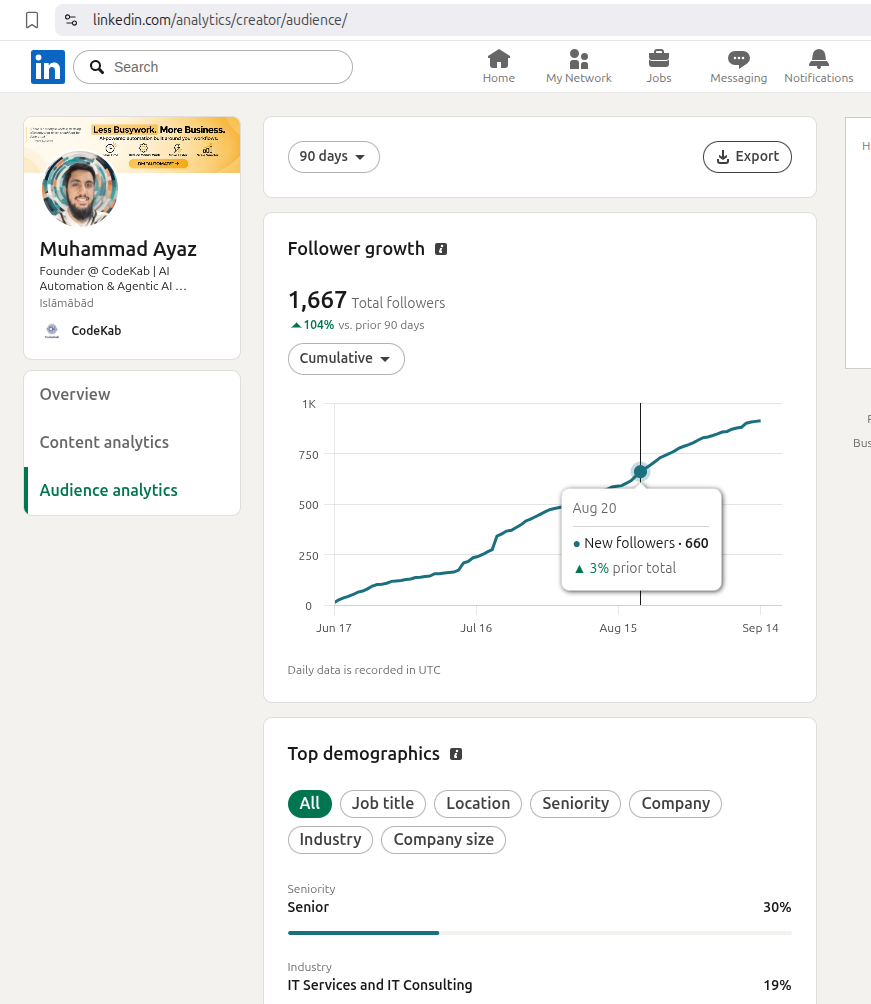
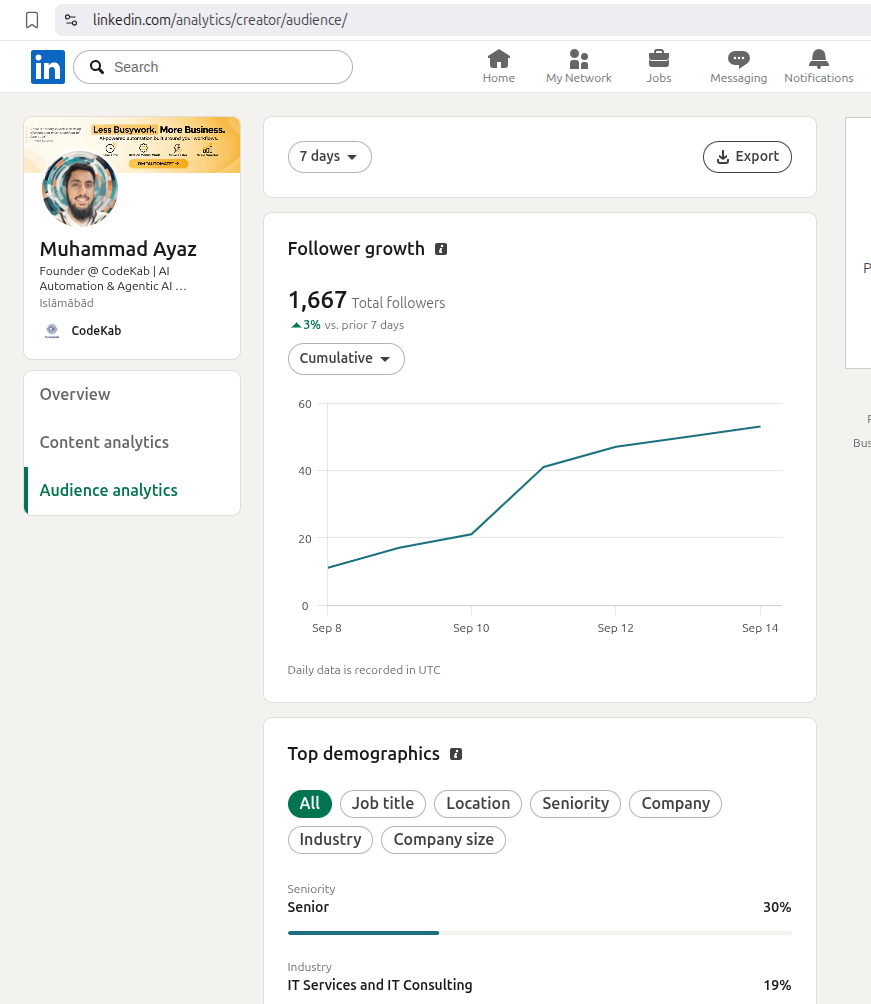
We ran it on our own founder's account first. These are LinkedIn's numbers, not ours.
Every session has its own rhythm: reading, scrolling, liking, commenting and visiting profiles. No two days look the same, and about one day in seven it only reads. When you open LinkedIn, it stops and waits.
Opens your feed and reads for a few minutes.
Scrolls, pauses, and hides two off-topic posts so your feed gets better.
Comments on a post from one of your target buyers, then follows them.
Likes a few posts. Roughly one like for every comment.
You open LinkedIn. It stops mid-session, with nothing half-written.
Waiting · checks every few minutes · takes no action
You've logged off. It picks up where it stopped.
Skips a post it already commented on in July. It never comments twice.
Opens your analytics and records what LinkedIn measured.
Reaches today's limit for your account and ends the session.
Shared IPs, password logins and two people on one account at once are what get LinkedIn accounts restricted. We designed around every one of them.
Your account never shares an IP with anyone else, and never changes country between sessions. It also gets its own browser.
You sign in yourself. Your session is stored encrypted, kept out of our database, and your own browser is never touched.
Two people on one account at once is a known reason LinkedIn restricts accounts. It checks for you constantly and gets out of your way.
Every account has daily limits, a different rhythm each session, and days when it only reads.
Every comment and like, where it went, whether it worked, and why a session stopped. Nothing is hidden or summarised away.
Each client sees only their own account. That separation is enforced by 363 automated checks, not just promised.
The same job, done three ways.
| Compared on | AlwaysNoticed | A hired business developer | A virtual assistant |
|---|---|---|---|
| Cost | From $79 a month per account | A full salary, plus time to get up to speed | $300–$600 a month per account, plus your time briefing them |
| Shows up | Every day, without fail | Office hours, minus sick days and staff turnover | Weekdays, minus holidays |
| Sounds like | You: your tone, length and language, and phrases you've banned are never used | Themselves | Depends on who you hired and the day they're having |
| Follow-up | Every reply sorted, answered and tracked in one pipeline | In a spreadsheet, if it's remembered | Only what you briefed them on |
| You're in control | Approve every message, or let it run. Pause any time | A weekly report | Coordinating over chat |
| Your account | Its own IP, its own browser, and it stops when you log in | Usually their own profile, not yours | Logged in from their device, wherever they are |
Founding customers keep this price for as long as they stay.
For founders and consultants with one account
For agencies running client accounts
Add-ons
Turns replies into booked calls: sorts every reply, follows up, shares your booking link, and keeps a pipeline of every lead.
Ask about Leads →We research the 50–100 people your buyers already follow and load them as your targets.
Ask about it →A LinkedIn workflow built for your business, running on the same isolated setup.
Get a quote →Billed monthly. Cancel any time. Every account gets its own dedicated IP, included in the price.
Yes. It writes from your real background and voice settings: your tone, length and language, with phrases you've banned blocked automatically. It never makes up a personal story or memory. You can review every comment before it posts.
No. You sign in to LinkedIn yourself, inside your account's own dedicated browser. LinkedIn creates a separate sign-in for us, so your own browser is never touched. Your session is stored encrypted on a private volume and kept out of our database.
It stops. It checks for you every few actions, and every couple of minutes while it waits. When you leave, it picks up where it stopped, or ends the session if there isn't enough time left.
Engagement gets people replying to you. Leads takes it from there: it sorts every reply (interested, peer, pitch, recruiter), follows up after they accept your connection, shares your booking link when someone is interested, alerts you, and tracks every lead in a pipeline.
On the founder's account, an average day across 111 days is 29 comments and 39 likes, in about 85 minutes of activity. About one day in seven, it only reads.
LinkedIn's user agreement doesn't allow automation of any kind, and we won't pretend otherwise. What we control is the risk: your own IP, your own browser, human pacing, daily limits, and stopping whenever you're on the account.
No one can honestly promise that. Every session runs within your account's daily limits, from one dedicated IP that never changes country, and stops when you're online.
Each client gets their own login and sees only their own account, activity and analytics. Clients request an automation, and you approve it once their connection and IP are ready. You can pause any account immediately or after the current session, and only a person can restart it.
Pause from the dashboard any time, immediately or after the current session. Billing is monthly. Cancel whenever you like.
Connect your account and tell it who you want to reach. We set up your dedicated IP, your voice rules and a preview. Within a day you'll see its first session in your dashboard.